
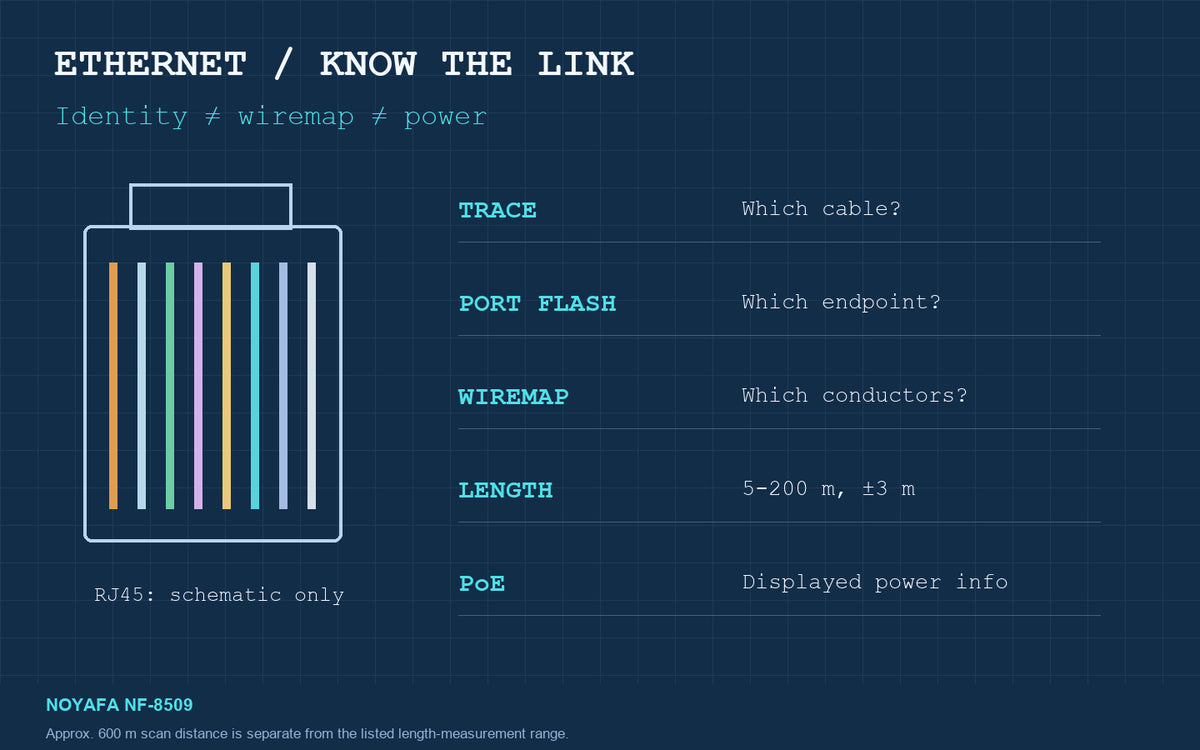
An unlabelled Ethernet socket raises several different questions: where does it terminate, are its conductors connected correctly, how long is the run, and is power present? NOYAFA NF-8509 Ethernet troubleshooting becomes clearer when each function is used to answer one of those questions.
The NF-8509 combines RJ45 wiremap, scan, continuity, length, port flash and PoE functions with a digital multimeter. The combination is useful for practical investigation, provided a cable identity, a conductor map and a network-performance result are not treated as interchangeable findings.
Start by identifying the link and its status
Give the socket a temporary identifier and note its room or rack location. Check the site's records before disconnecting anything. Determine whether the port is in service, connected to PoE equipment or available for an offline test.
Different modes have different connection requirements. Follow the NF-8509 manual for the chosen mode and live-network compatibility rather than applying every test to an energised link. Coordinate any disruption to a working connection.
The aim of the first visit is to replace an unknown socket with an evidence-backed description, even if a repair requires a later step.
Match each network cable tester function to a question

A cable identity, its conductor map and its power condition are separate findings.
| Question | NF-8509 function | What to record |
|---|---|---|
| Which cable is this? | Scan or tracing | Socket ID, candidate route and identified far end |
| Which active port is associated with it? | Port flash, where supported | Switch and port identifier |
| How are the conductors connected? | Wiremap/continuity | The displayed map and affected conductors |
| What length does the meter indicate? | Length | Value, unit and test configuration |
| What PoE information is present? | PoE test | Displayed voltage and core information |
A sensible order depends on access. If the far end is unknown, tracing may come first. If both ends are known and the link is available for an appropriate offline test, wiremap may be the most direct opening check.
Use wiremap to investigate a specific connection problem
A wiremap describes how conductors are presented between the test endpoints. Retain the actual result rather than writing only “pass” or “fail”. A repairer needs to know which conductors or terminations require attention.
Repeat a suspicious result with dependable short patch leads before attributing it to the permanent run. If a lead or adapter changes between tests, note it. Otherwise, a fault in an accessory can be mistaken for a fault inside the wall.
A satisfactory wiremap does not establish every high-frequency property of a Cat5 or Cat6 installation. Do not describe it as category performance certification or a guarantee that a particular application will achieve its expected throughput. Those questions require an appropriate performance test.
Keep length and tracing distance in separate columns
The NF-8509's listed length-measurement range is 5–200 m with ±3 m accuracy. The listing separately gives an RJ45 scan distance up to approximately 600 m. The larger tracing figure is not a 600 m length-measurement range.
Use an indicated length to help investigate a route or an unexpectedly short connection, within the method's limits. Preserve the setup used and avoid inventing an exact fault position from a single length value. A value near a specification boundary needs particular care in interpretation.
Port flash serves another purpose again: the listing covers identifying 10/100/1000 M switch or router ports. The speed labels do not mean the tester has measured application traffic at those rates.
Investigate PoE without losing the data question
A camera or access point can fail because of power, data connectivity or its own configuration. Record the NF-8509's displayed PoE information separately from wiremap and cable identity. The presence of voltage alone does not establish that the end device receives everything it requires under operating load.
The built-in multimeter is a separate function with its own ratings, modes and lead requirements. Its presence does not make an RJ45 cable test a general electrical safety check. For help distinguishing meter functions, see our multimeter selection guide.
Finish with a useful socket label and report
Retain the socket ID, far-end identification, map, indicated length, PoE observations and any remaining uncertainty. Apply a permanent label only when the identification is sufficiently established. This turns the next investigation into a targeted check rather than another search through an unknown rack.
Check the NOYAFA NF-8509 network cable tester and multimeter for the exact base-model functions and supplied kit before choosing it for your network work.
Explore the NOYAFA NF-8509
See its functions, suitable tasks and key limits before choosing.