
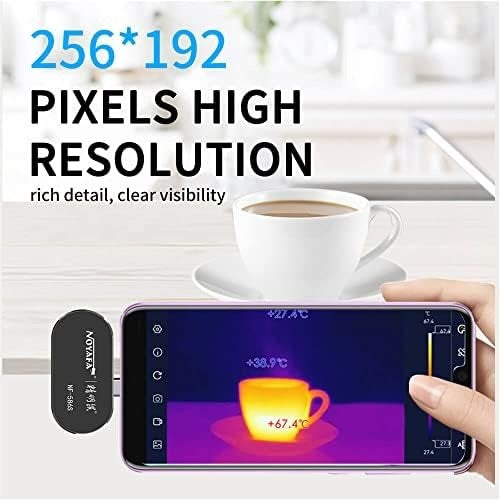
Before taking a NOYAFA NF-586S Android thermal camera to a building or workshop, rehearse the whole phone workflow. A USB-C socket is only one part of compatibility. You also need suitable Android OTG support, a compatible app, a physical fit, a usable live preview and a reliable way to save and retrieve the result.

Product-page application graphic showing a compatible phone viewing a cup; screen values are illustrative.
Check the exact module and phone
The NF-586S is the phone-powered NOYAFA module with a 256 × 192 infrared detector and a listed 25 Hz frame rate. It is distinct from NF-583, NF-583S and other similarly named thermal products. Confirm the model on the module and follow the app and connection instructions for that unit.
Do not infer iPhone support or universal tablet support from the Type-C connector. Check the manufacturer's current requirements against the exact phone model, operating-system version and app version. If OTG has a phone setting, enable it as instructed. A charging-capable port or cable does not prove that the phone can act as the required host.
App installation should follow the supplier's official instructions and trusted distribution route. An unrelated app with a thermal-looking colour filter is not a substitute for communication with the detector.
Test the mechanical connection
A thick phone case can prevent the module from seating properly even when the plug appears aligned. Remove only the obstruction that the instructions permit, and support the phone/module combination without levering the connector.
If an adapter or extension is proposed, verify that it supports the necessary data and host arrangement; a physically matching lead is not sufficient evidence. Test the exact arrangement that will be used on the job. A setup that works briefly on a desk may become unreliable when held in portrait, landscape or near an awkward target.
The module draws power from the phone. Plan the session around the phone's charge and the actual connection arrangement rather than assuming the module has its own rechargeable battery. Do not assume charging and thermal imaging will work simultaneously through an arbitrary hub.
Prove the live image on an easy scene
Begin with an accessible indoor target that presents a clear, safe temperature difference, such as the outside of a suitably warm cup. This is a connection check, not a calibration test. Avoid very hot objects or equipment that introduces unnecessary access risks.
Open the correct app and check that the image responds as the view changes. Identify the temperature units, palette, emissivity setting and image orientation. Confirm which side of the phone the detector is viewing so you can aim deliberately rather than judging from the screen alone.
The listed measuring range is −15 to 600°C. That range does not establish compatibility with a particular phone or prove a measurement is accurate at every target. Surface finish, reflections, target size and operating conditions still matter.
Save, find and export a real test file
Take a photo, retrieve it from the relevant app or storage location, and export it through the actual handover route. If video matters, test a short clip too. Confirm that files remain available after closing and reopening the app.
Check what accompanies the exported image. A coloured screenshot may not contain editable temperature data or all the settings needed for later analysis. Only promise radiometric re-analysis if the exact app and file format support it. Make a separate location and settings note where needed.
Ask the intended recipient to open a sample before the inspection. That catches an export-format problem while it is easy to repeat the scene.
Carry a short readiness checklist
Record the module model, phone/OS, app version, physical connection, preview result, saved-file location, tested export route and remaining battery. Repeat the rehearsal after a significant phone or app change.
Once that chain works, you can concentrate on interpreting surface-temperature patterns. Thermal imaging still cannot see through walls or ordinary glass, and a clear live preview does not identify the cause of every bright or dark area. After the phone setup is proven, our thermal-imaging principles guide explains the next interpretation questions.
Explore the NOYAFA NF-586S
See its functions, suitable tasks and key limits before choosing.