
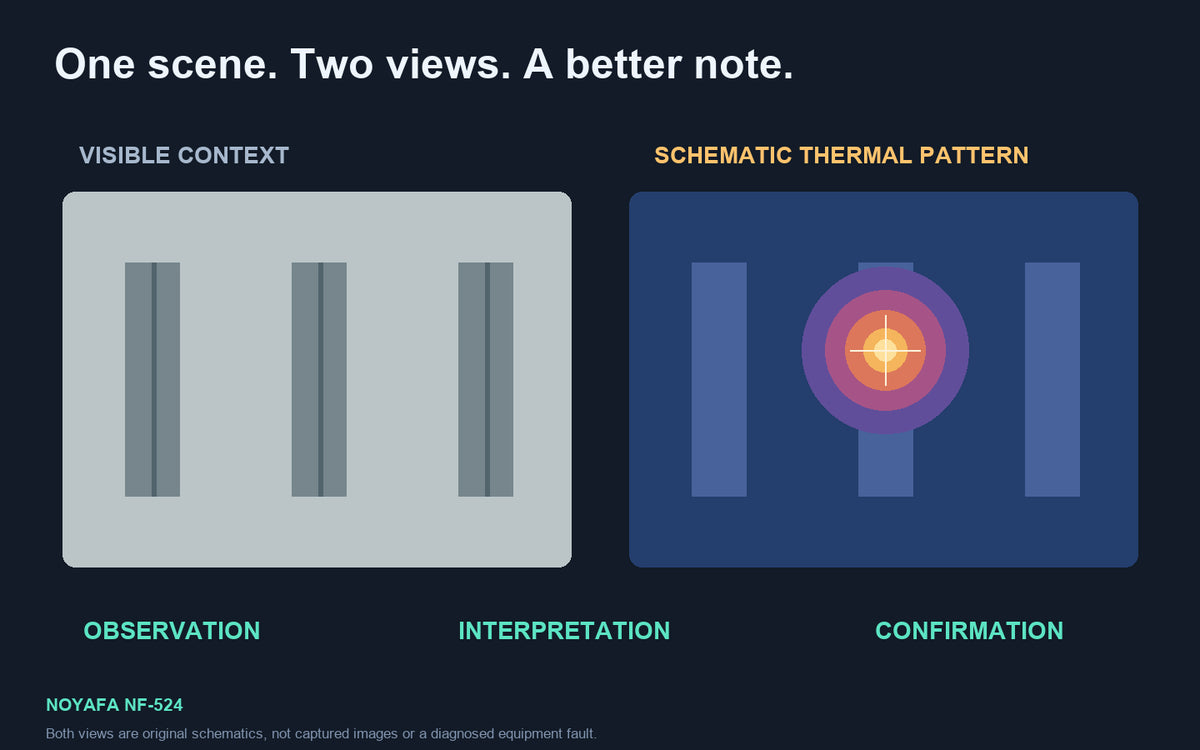
A useful NOYAFA NF-524 thermal inspection record explains what the image shows, where it was taken and what should happen next. A bright patch alone is not a fault diagnosis. The most valuable report keeps the observation separate from the possible explanation and the confirming check.
The NF-524 lists a 120×90 infrared sensor, 25 Hz imaging, a −20–400°C range, five image modes and eight palettes. It supports photo and video capture, temperature markers and PC transfer. Those features help preserve an observation, provided the surrounding context is captured too.
Pair the thermal image with visible context
Record the exact asset or building location before concentrating on the thermal image. Take a visible context view or make a sketch that shows the inspection area. A close thermal frame can be hard to recognise later, especially where several fittings or panels look similar.
Note the time, operating state and any recent change. A motor running under load, an idle machine and equipment just switched off can produce different thermal patterns. In a building, weather, heating state and recent ventilation can affect what you see.
Use safe, authorised access. A thermal camera does not justify removing electrical covers or approaching hazardous equipment without the required arrangements.
Structure the note in three parts

A useful thermal finding keeps the observed pattern, possible explanation and confirming check distinct.
Observation: describe the visible pattern and relevant displayed values. For example, state that one accessible area appears warmer than an adjacent comparison area under the recorded operating condition. Identify the markers and image file used.
Interpretation: set out plausible explanations without presenting them as confirmed. A warmer pattern may relate to normal load, heat transfer, a reflective surface or a condition requiring investigation. The image alone may not distinguish them.
Confirmation: identify the next suitable check and who should perform it. That might be a comparable repeat image, an operating-record review or an inspection by a competent specialist. Keep urgency tied to the whole situation rather than to the palette colour alone.
These three parts make a finding actionable without overstating what the camera has established.
Make comparisons genuinely comparable
Keep the viewing position, distance, angle and settings as consistent as practical between visits. Record relevant emissivity and reflected-temperature settings where available and used. A change in surface finish or reflection can affect apparent temperature even when the underlying equipment is unchanged.
Retain the displayed temperature scale with the thermal view. Depending on the selected display settings, colours can be redistributed across different temperature spans. A red patch in one image is not automatically hotter than a yellow patch in another.
Where possible, compare equivalent assets under similar load or repeat the same asset at a documented operating state. Do not compare a loaded component with an idle neighbour and immediately label the difference a defect.
Understand what image fusion adds
The NF-524 offers thermal, visible, picture-in-picture and fusion modes. Visible detail can help locate the thermal pattern on a recognisable object. It does not add infrared detector pixels to the listed 120×90 sensor.
A small object that occupies very few thermal pixels needs particular care. A sharp-looking edge in a fused picture does not establish a precise temperature for that edge. Keep the detector's spatial limits and target size in mind when choosing the framing and deciding whether another method is needed.
Likewise, the 25 Hz frame rate describes imaging updates, not a guarantee that any moving or changing target can be measured accurately. The scene, surface and method still matter.
Preserve evidence that survives a handover
Save the original image or video, a useful visible context view, asset ID and the note linking them. The NF-524's USB-C transfer and built-in storage support an offline review workflow; confirm that transferred files open correctly before relying on a copy.
A compact record should include location, operating condition, settings, observation, uncertainty and follow-up action. Avoid reducing it to “hot spot found” or a screenshot with no scale. For recurring work, keep the earlier record so changes can be reviewed under comparable conditions.
Our guide to how thermal cameras work explains the broader measurement principles. View the NOYAFA NF-524 thermal imaging camera for the exact sensor, recording and model specifications covered here.
Explore the NOYAFA NF-524
See its functions, suitable tasks and key limits before choosing.