
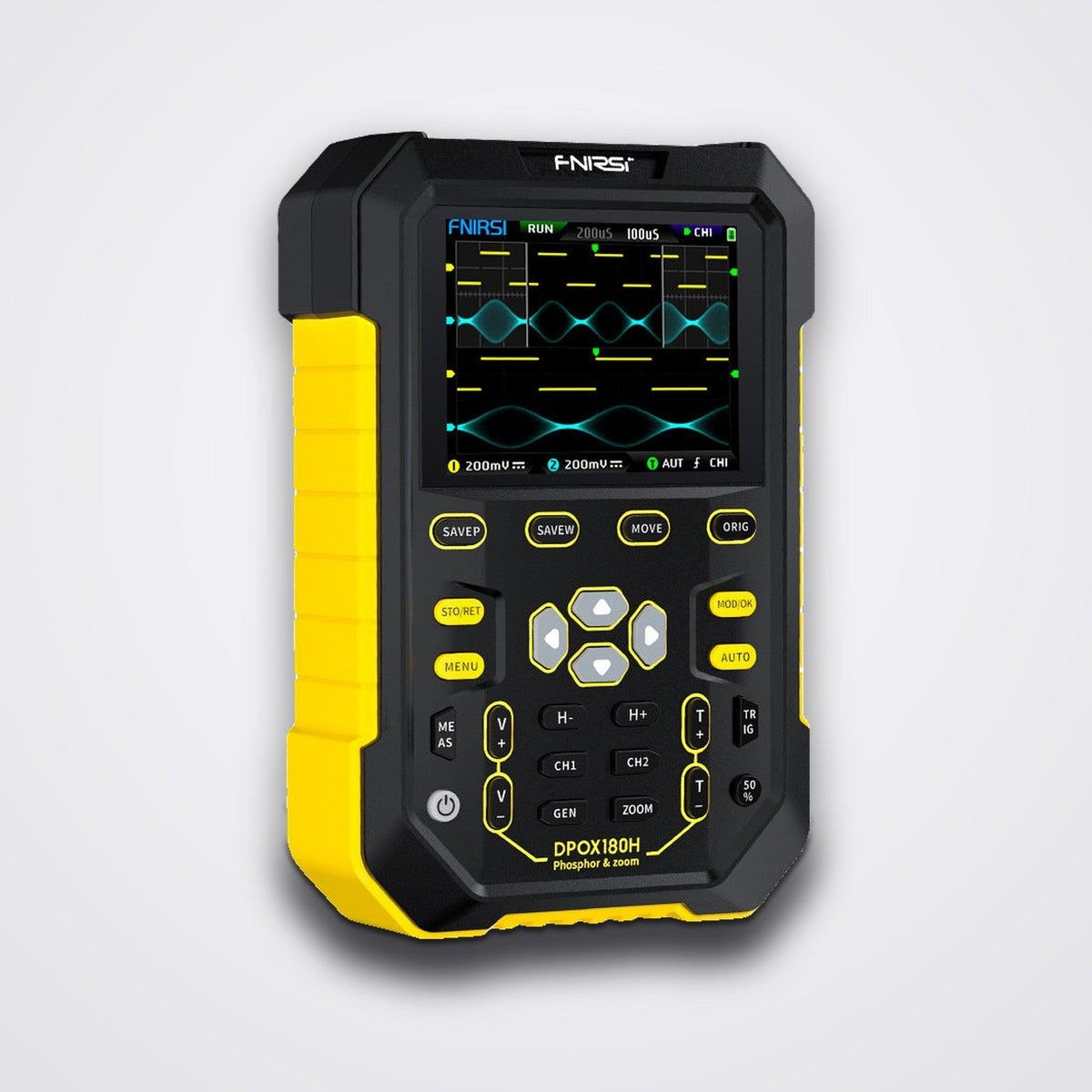
An occasional glitch can disappear between ordinary screen updates. With the FNIRSI DPOX180H oscilloscope, start by defining what makes the event different from the normal signal, then choose a supported trigger and time window. A stable picture of the usual waveform does not prove that the rare event never occurs.
The DPOX180H is a two-channel handheld scope with listed 180 MHz bandwidth, 500 MSa/s sampling and 120 Kpts memory. Its documented trigger modes include Auto, Normal and Single with rising or falling edge triggering. Those are useful tools, but they do not imply every advanced trigger type.

This article covers DPOX180H; similar blue-bodied DPOX product images are not used.
Establish a safe, ordinary waveform first
Use a suitable isolated low-voltage circuit and an appropriate probe arrangement. Confirm attenuation, input settings and the reference connection before attaching the probe. A battery-powered handheld scope is not automatically equipped with independently isolated inputs, and a quoted protection voltage is not permission to probe mains circuits directly.
Begin with the normal signal visible at a useful scale. Check that the probe itself is not causing a poor connection or excessively loading the node. Keep the ground/reference connection appropriate and short enough for the measurement method; wiring can introduce artefacts that resemble the fault being investigated.
Write down the normal amplitude, period and operating state. That gives the unexpected event a reference.
Ask whether an edge trigger can distinguish the event
If a suspected overvoltage pulse crosses a level that the normal signal never reaches, an appropriate edge threshold may help capture it. If the unwanted event has the same edges as normal activity but a different pulse width, a basic edge trigger may not isolate it.
Terms such as glitch, runt and pulse describe different behaviours. A runt pulse may fail to reach the normal level; reliably selecting it can require trigger capabilities beyond a simple threshold crossing. The reviewed DPOX180H trigger list does not establish dedicated runt or pulse-width triggering. Do not select a tutorial for another oscilloscope and assume those menus exist here.
Use Normal and Single deliberately
Normal mode waits for the configured trigger condition rather than continually producing an untriggered trace in the same way Auto can. Single acquisition is useful when you want to arm the scope, perform one permitted action and retain the resulting capture. Confirm the armed/stopped state on the instrument.
Set the horizontal scale to include useful context around the event. A close-up may reveal a transition but omit what led to it; a very long view may reduce the available detail. Save both context and a useful inspection view where the scope's acquisition and zoom functions allow it.

Manufacturer waveform illustration. Trigger and acquisition settings determine what an event capture can show.
Relate sample rate to record duration
As a simple maximum-setting calculation, 120,000 points at 500 million samples per second span 0.00024 s, or 240 µs. That calculation explains the trade-off; it is not a promise that every channel and mode simultaneously provides all headline maxima.
Check the actual sample rate and memory behaviour shown for the chosen setup. A longer time window can require a different sampling arrangement. A narrow event may be missed or represented poorly if the acquisition settings are unsuitable, even though the scope has a high headline bandwidth.
The phosphor-style intensity presentation can make repeated or less frequent behaviour easier to notice. It does not guarantee that every rare event was captured or establish its exact occurrence probability.
Save evidence that survives the session
The DPOX180H lists storage for 250 waveform sets and 90 screenshots with USB export. A screenshot explains what you saw; a saved waveform may support further inspection within the supported workflow. Retain probe settings, channel configuration, trigger and the action that produced the event with either file.
If nothing triggers, record that result as “no event captured under this setup and observation period”. Investigate the threshold, time window, operating condition and whether a different trigger capability is needed. Do not convert a quiet screen into proof that the circuit cannot glitch.
See the FNIRSI DPOX180H product page for this exact yellow-bodied model. When comparing a FNIRSI oscilloscope or other scope, match trigger and recording needs before comparing only bandwidth or oscilloscope price. Our related test-instrument guide provides broader selection context.
Explore the FNIRSI DPOX180H
See its functions, suitable tasks and key limits before choosing.