
The VICTOR VC8045mini benchtop multimeter is useful when you want a stable place for a display during a low-voltage bench check. Its dual display and Record controls can support observations, but they should not be mistaken for two isolated meters or an oscilloscope that captures every transient.
Before testing a power supply, decide whether you need a steady value, a supported pair of displayed quantities or a waveform over time. Those are different measurement jobs.

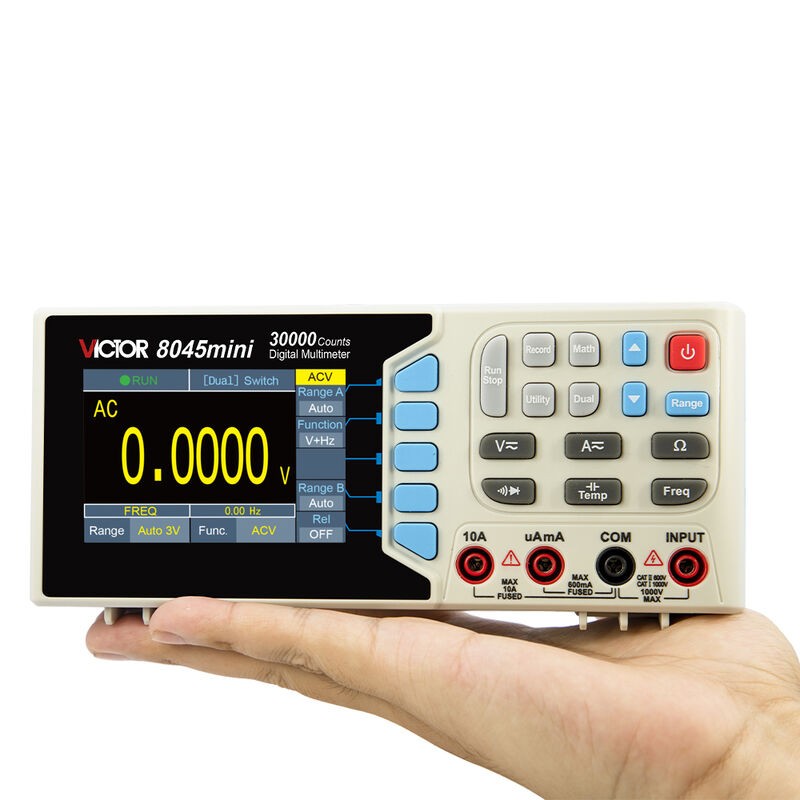
Product size demonstration. Place the meter securely on the bench during a measurement.
Define the power-supply question
For a suitable current-limited low-voltage supply, a first task might be to compare output voltage at no load and under a specified safe load. Identify the correct terminals, voltage mode and polarity. Keep the supply within its ratings and use a load and connections suitable for the expected power.
Record the supply setting and the load condition rather than simply writing “12 V tested”. A nominal setting, a measured output and a load's marked voltage are different pieces of information. If the supply has adjustable current limiting, its state may also explain an unexpected voltage drop.
The VC8045mini lists 30,000 counts, a 3.5-inch colour TFT, True RMS and a range of meter functions. Counts describe display capability. They do not alone establish the uncertainty of a measurement or the rate at which changing behaviour is captured.
Check the dual-display combination
The dual display can show supported combinations of information, but the available pairing depends on the selected function and instrument design. Consult the manual and verify the on-screen units before building a procedure around it. Two numbers on the screen do not mean two independently isolated input channels.
For example, a primary value and a secondary frequency reading answer a different question from separate simultaneous voltage and current measurements. Do not rewire the meter as though every combination is available, or put a current input directly across the power supply.

Supported display combinations depend on the selected function; two readouts do not mean two isolated channels.
Build a simple observation sequence
Start with a stable baseline. Note the mode, range, supply setting, load and displayed value. Apply only the planned, safe load change, allow the system and reading to settle as appropriate, then record the new condition.
| Stage | Record | Avoid assuming |
|---|---|---|
| Baseline | Supply setting, mode, range and output | The front-panel setting equals the actual output |
| Loaded condition | Load identity and measured value | A changed reading identifies the cause |
| Repeat | Same conditions and any difference | More digits mean every difference is significant |
| Dynamic follow-up | Event and required time resolution | Record mode catches every brief dip |
If a downstream device resets but the displayed voltage looks stable, the meter may have missed a short event. A suitable oscilloscope or other recorder with established timing performance may be required. The absence of a visible dip is not proof that no dip occurred.
Rehearse recording and computer transfer
The VC8045mini has Record controls and a USB Device interface for PC control. The reviewed information does not establish a sampling interval or compatibility with every operating system and application. Test the intended computer workflow before relying on it for a long experiment.
Confirm what is stored, how units and ranges are represented and whether the required time information is present. Save an original export and add a separate experiment note identifying any manual changes. A row of numbers is more useful when the load change can be placed alongside it.
Also consider grounding when connecting a computer or external power source. A portable battery supply does not automatically make all measurement and communication connections isolated. Follow the instrument's documented connection rules.
Choose the display for the task
A clear desktop display can make steady measurements easier to read and record. A supported secondary reading can reduce transcription. Neither benefit replaces the required range, accuracy, input protection or capture speed.
See the VICTOR VC8045mini product page for the current configuration and power options. Our multimeter selection guide helps match the measurement question to the instrument rather than selecting only by screen size or display counts.
Explore the VICTOR VC8045mini
See its functions, suitable tasks and key limits before choosing.