
FNIRSI S1 smart multimeter AUTO mode can reduce switching between supported functions, but the operator still has to decide what is being measured. An automatic instrument cannot know that a circuit has been isolated correctly, that the lead sockets are suitable or that a changing value answers the intended question.

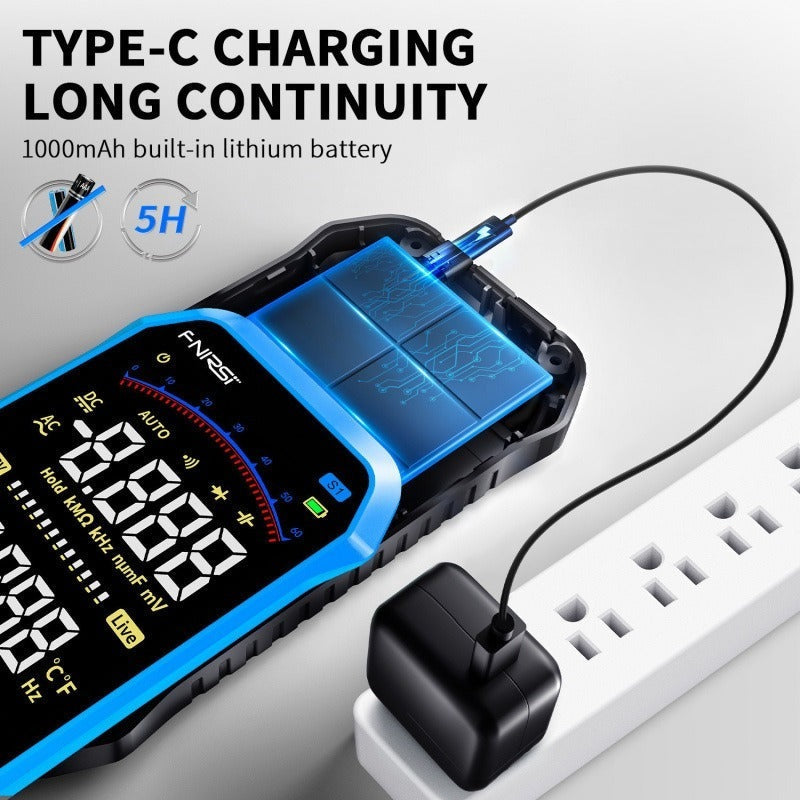
USB-C charging supports a portable meter; charge it separately from the measurement task.
Know what AUTO actually selects
FNIRSI lists automatic AC/DC voltage, resistance and continuity measurements for AUTO mode. The S1 also lists selectable capacitance, frequency, temperature and diode functions, plus NCV and LIVE indication. Those capabilities do not mean AUTO identifies every possible electrical quantity.
A useful first exercise is a familiar, low-energy DC battery followed by an entirely disconnected wire. These are separate tasks: voltage across a source, then continuity through an unpowered conductor. Read the function symbol and units for each task instead of watching only the large digits.
The display provides up to 9,999 counts. That describes how a number can be displayed, not a universal accuracy figure. A stable-looking last digit can still be affected by contact, range, source behaviour or the instrument's specified uncertainty.
Check a small battery as a voltage task
Inspect the instrument and leads, use the terminals and connection described by the manual, and select or confirm the appropriate DC-voltage function. Place the probes across the suitable battery terminals, maintaining secure contact and observing polarity. Keep the tips from bridging the terminals.
If the displayed function or unit is unexpected, remove the probes and resolve the setup. Do not assume a very small voltage is a resistance value simply because AUTO has selected another mode. A source that changes under contact may also produce an unstable result.
A negative DC sign commonly describes probe polarity relative to the meter's inputs. It does not by itself mean the battery has negative capacity or is defective. An unloaded voltage is one observation about a battery; it does not measure its remaining amp-hour capacity.
Change tasks deliberately for continuity
Disconnect the test object from every relevant power source and establish that the task is suitable before using resistance or continuity. Check the leads together and apart in the intended function so you recognise the instrument's behaviour. Then test the disconnected wire or contact.
A beep indicates that the meter's continuity condition has been met at that moment. It does not certify the resistance is acceptable for a particular load. Poor contact, a damaged strand or an intermittent connector can also require movement under an appropriate unpowered test arrangement, inspection or a different measurement.
Do not use continuity as a voltage-absence test. NCV and LIVE indications are supplementary functions and cannot establish safe isolation either. A device may be rechargeable and convenient to hold while still requiring the same deliberate decision about circuit state.
Separate HOLD from a live observation
HOLD freezes the displayed reading for reference. If the value no longer follows the circuit, first check whether HOLD is active before suspecting a fault. Release it and repeat the observation under the same conditions.
Write the function, units and test position beside a held value. A photograph showing “1.5” without the DC-voltage indication, object or time is an incomplete measurement record. HOLD is not continuous data logging and does not capture every event that occurs while a value is frozen.
Choose another instrument when the function is missing
The S1's reviewed function list does not include direct current measurement. Do not try to put it in series with a circuit using an assumed current mode. If the question is charging current, load current or an intermittent waveform, choose an instrument explicitly equipped and suitable for that measurement.
Charge the USB-C meter as instructed and separately from the example measurement exercise. Confirm the supplied leads and any temperature probe against the actual kit. AUTO is most helpful when the task, connection and expected display have already been thought through. If the intended quantity needs another instrument, our multimeter selection guide explains the main choices.
Explore the FNIRSI S1
See its functions, suitable tasks and key limits before choosing.