
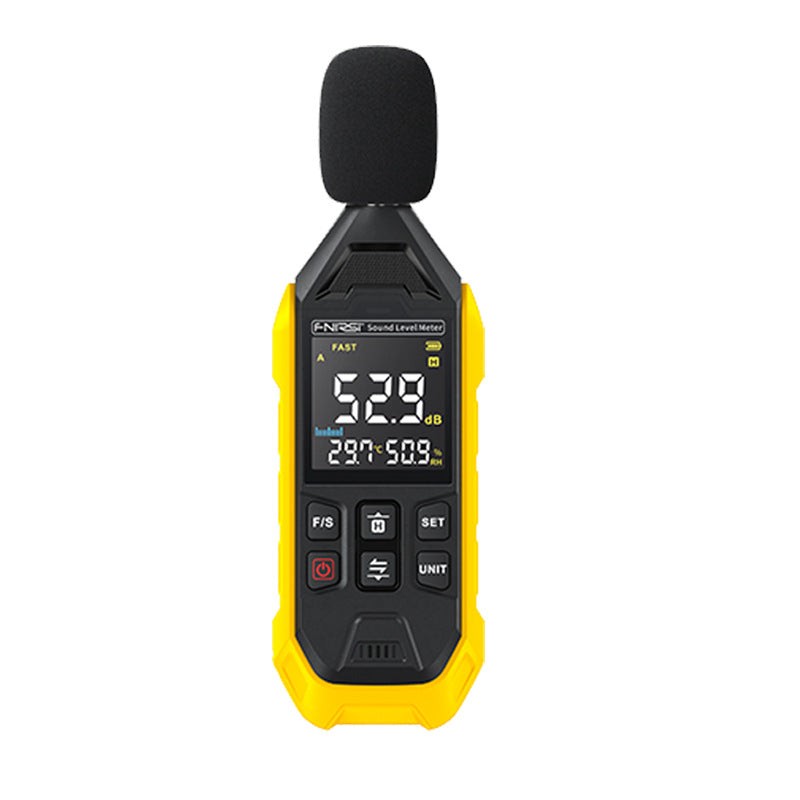
The FNIRSI FDM01 sound level meter lists A-weighting, FAST/SLOW response, MAX/MIN, AVG and an alarm indicator. Those labels are useful controls, but AVG should not be rewritten as LAeq or a workplace noise dose without a documented definition and method.
For a home, workshop or event spot check, the first job is to preserve what the meter actually measured and how it was configured.

Distinguish response, weighting and statistic
A-weighting describes the frequency weighting applied to the sound level. FAST or SLOW describes the response behaviour. AVG suggests an averaging function, but the displayed average's time window and algorithm need the actual manual.
LAeq is a time-averaged equivalent continuous A-weighted level with a defined integration period. A meter labelled AVG may or may not implement that quantity. Do not infer it from a familiar three-letter abbreviation.
The listing mentions C on a segment demonstration, but the detailed specification reviewed confirms A-weighting. Treat C-weighting as unconfirmed for this model unless the current instructions explicitly establish it.
Define the observation before pressing record
Write the location, source, start and end time, response, weighting and mode. Note whether doors, machinery, traffic or voices changed during the interval. A maximum, minimum or average without a period is difficult to compare.
If the question is “how loud is the tool when it starts?”, a short FAST observation may be relevant. If the question is the room's noise floor, a longer consistent period may be more useful. These examples are different jobs, not interchangeable readings.

Respect the 30–130 dB range
The FDM01 is listed for 30–130 dB. Observations below 30 dB are outside the reviewed range, even if the screen continues to show a changing value. Do not report a very quiet room with a precision the instrument does not support.
The listing also gives a condenser microphone and foam windscreen. Use the windscreen as directed, particularly for outdoor or moving-air checks, and keep handling noise out of the observation. A microphone held against a surface is a different measurement from air sound.
Keep an alarm threshold in context
An alarm indicator tells the user that a configured condition has been reached. It does not turn a spot-check result into a legal compliance assessment or identify the cause of the sound.
For formal workplace or environmental decisions, select a properly specified and calibrated sound level meter and follow the applicable procedure. If the method requires a Class 2 sound level meter, request the documented classification. The reviewed FDM01 listing does not establish it.
Use the screen without losing the source
MAX/MIN and HOLD can help a user look at a result in a busy space. Label whether the displayed value is live, held, maximum, minimum or average, and note when that state was captured. A final screen photograph cannot show the source's changing behaviour unless the method recorded it.
The FDM01 is useful for clearly defined general noise checks. Its controls support a meaningful record when their exact mode is preserved. They do not justify upgrading AVG to LAeq or a casual dB number to a compliance certificate.

See the FNIRSI FDM01 product page for the current version and kit, or read the FNIRSI FDM01 overview before choosing.