
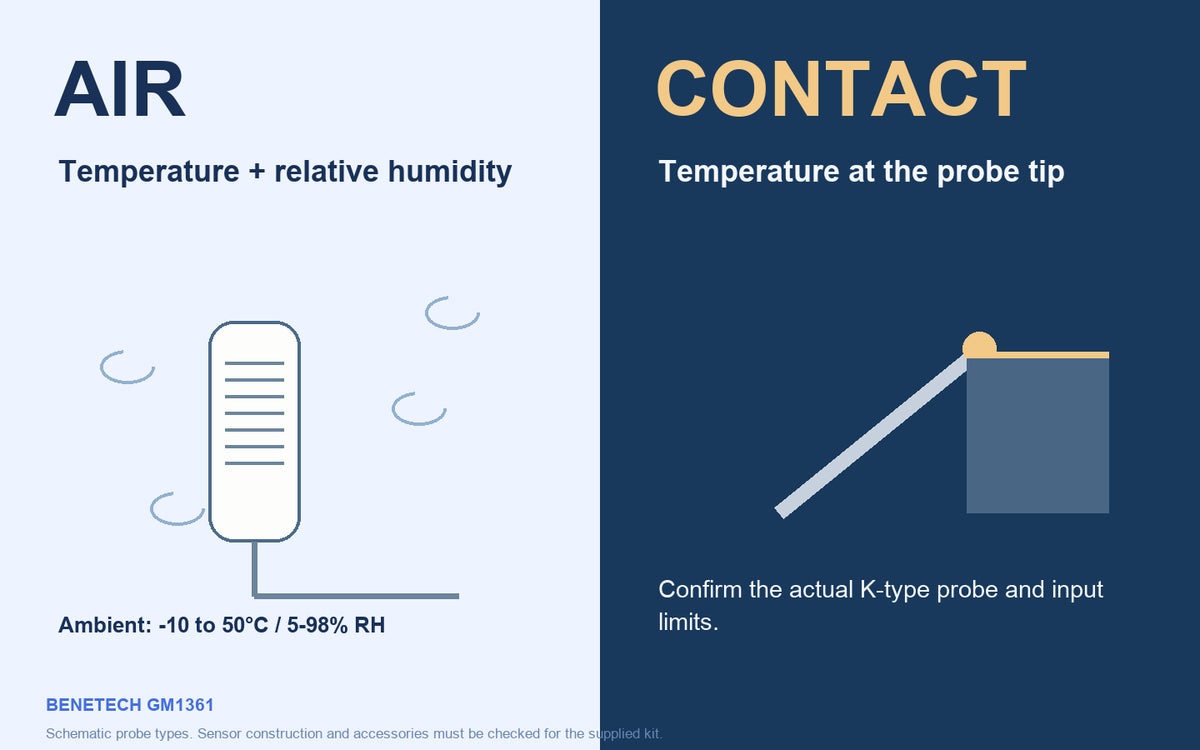
The BENETECH GM1361 split probe and K-type input serve different jobs. Use the temperature-and-humidity probe to describe the air at a chosen location. Use an appropriate K-type thermocouple to investigate the temperature at its contact point. Keeping those questions separate makes the readings easier to interpret.
The standard GM1361 is a handheld thermo-hygrometer with a separate temperature/humidity probe and a K-type port. Its listed ambient range is −10–50°C and its humidity range is 5–98% RH. These ambient limits should not be transferred to every thermocouple, nor should a thermocouple's rating be applied to the humidity probe or meter body.
Choose between the split probe and K-type input
Consider a room with a warm piece of equipment. You might need to know the air conditions around the equipment, the temperature of an accessible surface, or both. These are related observations, but they describe different places and measurement methods.
| Reader question | Suitable measurement path | Context to retain |
|---|---|---|
| What are the air conditions here? | Split temperature/humidity probe | Location, air movement, temperature and RH |
| What is the temperature at this contact point? | Suitable K-type thermocouple | Probe type, attachment and exact contact position |
| Why do the readings differ? | Review both observations | Different locations, contact quality and changing conditions |
Relative humidity belongs to the air measurement. A contact-temperature value is not a second humidity reading and does not describe the surrounding air merely because it appears on the same handheld instrument.

The air probe and K-type input answer different questions; keep their readings and limits separate.
Make the air observation representative
Place the split probe where the air condition matters, rather than automatically beside the person holding the display. A position near a door, supply vent or warm housing can differ from the wider room. If that local effect is the subject of the check, record it explicitly.
Keep the sensing area unobstructed and follow the manual's guidance on stabilisation and environmental exposure. Do not assume an immediate reading after moving between conditions represents equilibrium. Avoid treating the probe as a liquid-immersion sensor.
Note the location, time, nearby operating equipment and whether doors or ventilation settings have changed. These details help explain a later difference without attributing every movement in the display to an instrument problem.
Check the thermocouple before the contact observation
A K-type socket identifies a sensor family; it does not specify the construction or usable temperature of every connected probe. A bead sensor, surface probe and other forms can have different attachment and exposure requirements.
Confirm the actual probe supplied or selected, its temperature limits, the GM1361 input limits and its suitability for the surface. The product page does not provide a definitive temperature range for every K-type accessory. If a particular contact-temperature range is essential to your purchase, verify it against the correct manual and probe specification first.
Use a consistent contact position and attachment method for comparisons. A probe that barely touches a surface can respond differently from one fitted correctly for that task. Do not use this general workflow to approach hazardous hot, moving or electrically live equipment without the appropriate access arrangements.
Make a paired record without merging the readings
Use separate fields for air temperature, air RH and contact temperature. Add a sketch or photograph locating the air probe and the contact point. If observations are sequential, preserve their times rather than implying they were simultaneous.
An air reading and a surface reading need not agree. First ask whether the surface is expected to be warmer or cooler, whether the operating state changed, and whether the contact was dependable. Averaging the two temperatures would conceal the very difference you were trying to investigate.
The GM1361 has MAX/MIN and HOLD controls. Identify any retained value as such in your record; a held display is not evidence that the condition remained constant throughout a visit.
Confirm the standard model before ordering
The GM1361 discussed here is the standard version, distinct from the GM1361+ Bluetooth/APP model. Confirm the kit contents and the specific thermocouple accessory needed for your task rather than relying on a similar model's photographs.
If the job requires a continuous history rather than a few observations, our temperature data-logger guide provides a useful next step. For the exact instrument covered here, see the BENETECH GM1361 thermo-hygrometer.
Explore the instruments behind these measurement choices
These product overviews explain the functions, suitable tasks and limits of individual models. Use them alongside the measurement principles in this guide.
For current prices, availability and kit contents, follow the buying link in each overview.