
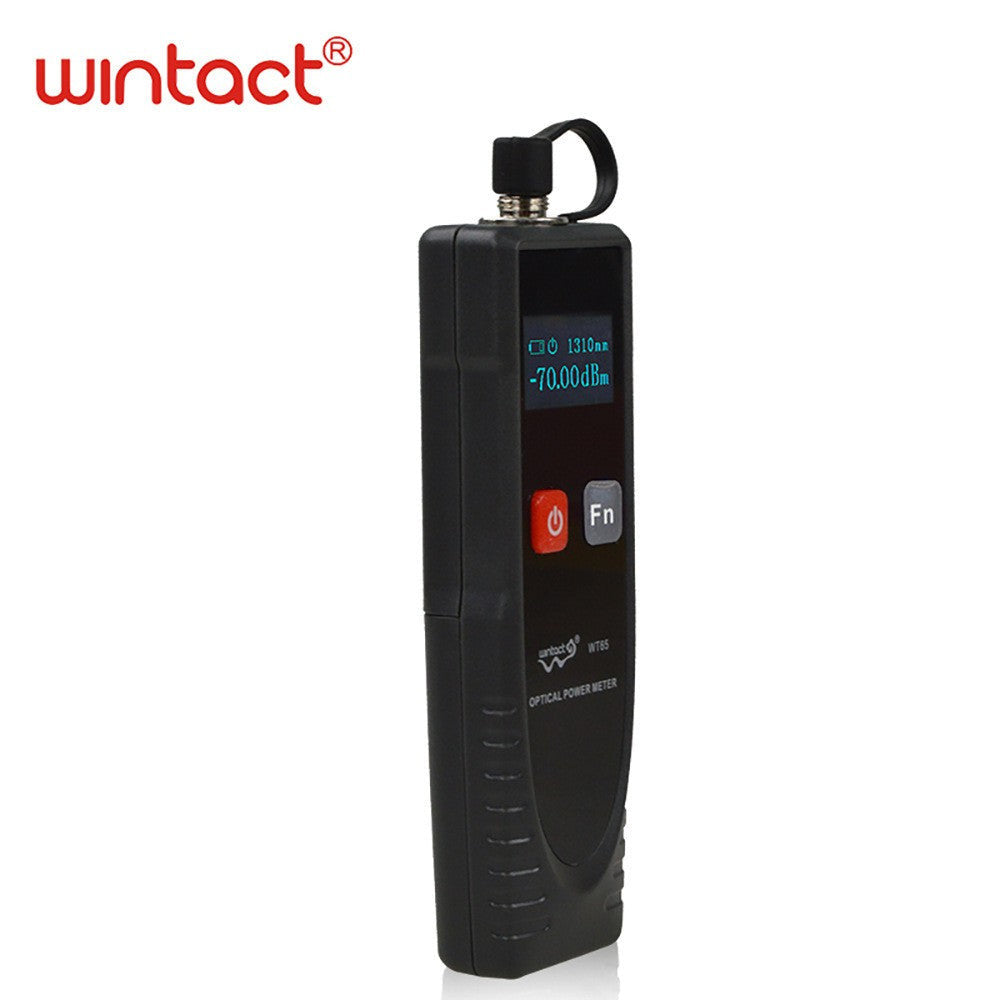
The Wintact WT65 optical power meter displays absolute power in dBm and relative power in dB. Keep those meanings separate. A negative dBm value can be a perfectly valid optical-power reading; it does not mean “negative light” or automatically prove a broken fibre.
For a link-loss check, you also need an appropriate source and a documented reference arrangement. The WT65 does not include a laser light source.

Wintact WT65 supplier product photograph. Displayed values are illustrative.
Give the logarithmic units a reference
dBm expresses power relative to 1 mW. Zero dBm is 1 mW, while −10 dBm is 0.1 mW. The minus sign indicates power below that reference, not an impossible physical quantity.
dB describes a ratio or change. Suppose a reference arrangement reads −10 dBm and the subsequent test arrangement reads −12 dBm. The difference is −2 dB; expressed as attenuation relative to that reference, the loss is 2 dB. This is a calculation example, not a WT65 test result.
Record whether the display is showing absolute or relative mode. A saved “−2” without the unit and reference is ambiguous.

Calculation example only • keep source, wavelength and reference arrangement valid

Supplier optical-port detail. Check the connector and adapter required by the test setup.
Match the selected wavelength to the source
The WT65 lists six calibration wavelengths: 850, 1300, 1310, 1490, 1550 and 1625 nm, with a measuring span of −70 to +6 dBm. Select the setting appropriate to the source and method. The wavelength menu does not mean the meter automatically identifies every incoming wavelength.
For a planned loss test, choose a compatible stable source, leads and connector arrangement. Establish the reference according to the applicable procedure and preserve it through the comparison. Changing connectors or reference leads can change what the reported loss includes.
Cleanliness is part of the measurement
Inspect and clean connectors with suitable fibre procedures and tools. A dirty connection can add loss and make repeated readings inconsistent. Keep caps and inspection equipment clean too; a cap is not evidence that a connector face is clean.
Never look into an active fibre or source. Confirm safe working arrangements with equipment intended for the wavelength and power involved. Optical radiation can be invisible.
The WT65 lists FC/SC/ST interface support. Confirm the exact connector geometry, adapters and polish compatibility for your setup rather than assuming every similar-looking connector can be mated directly.
Interpret a result within the instrument specification
The stated accuracy differs above and below −48 dBm. A fine displayed step therefore should not be confused with equally fine measurement accuracy. Check the full specification when small loss differences will drive acceptance decisions.
If a reading is unexpected, verify source state, wavelength setting, reference, connections and cleanliness before blaming the cable. Compare the result with the relevant link budget and test procedure; no single dBm number is a universal pass mark.
The WT65 measures optical power. It is not an OTDR and does not locate a fault along a fibre from the power reading alone. Choose it for supported power and relative measurements, with the source and reference method that make those measurements meaningful.
For the current specification and supplied version, see the Wintact WT65 product page.
Explore the Wintact WT65
See its functions, suitable tasks and key limits before choosing.