
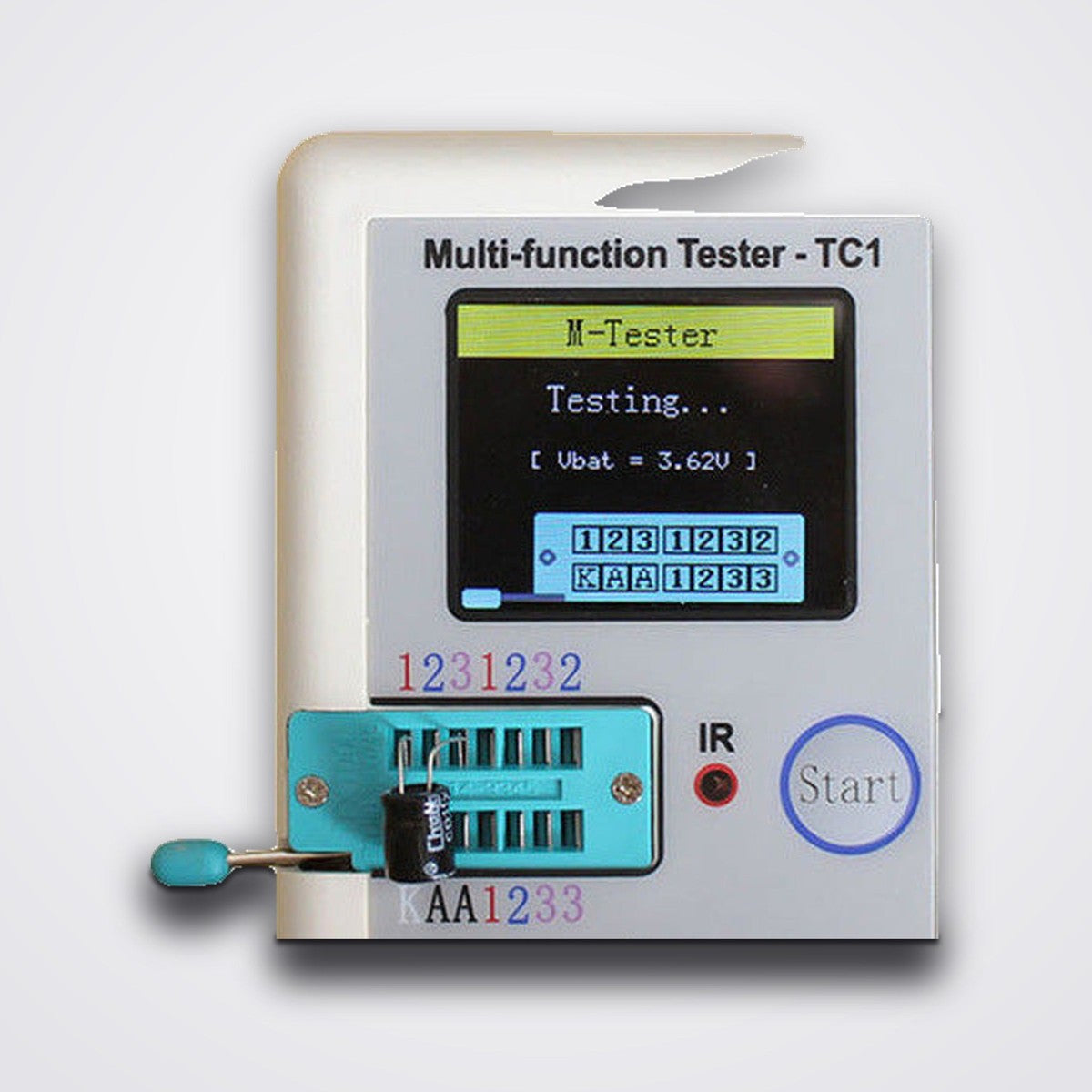
A video labelled “TC1 tutorial” may show a tester that looks almost identical to the one on your desk. That does not establish the same firmware, socket assignments or supported tests. The generic TC1 component tester listed here is unbranded, with a colour display, Start button and 14-pin ZIF socket.
Before copying a button sequence or connection from a tutorial, identify the actual unit and compare the instructions. A short familiarisation record can prevent a convincing demonstration from becoming the wrong procedure for your tester.

Start with the features you can actually verify
The reviewed TC1 listing describes an approximately 90 × 70 mm body, USB-C charging, an English interface, hook leads and sample parts or pins. It also shows an IR receiver window. These details identify the supplied format; they do not establish an exact firmware revision or universal protocol support.
Keep a photograph of the model markings, socket labels and starting screen with the supplied instructions. If a version identifier is available through a documented screen, record it. Do not enter an undocumented service mode or install firmware merely because an online unit looks similar.
Compare the procedure before connecting a part
A useful comparison has three columns:
| Check | Your actual unit | Tutorial or guide |
|---|---|---|
| Test groups | Labels and connections in the supplied instructions | Labels visible in the demonstration |
| Supported component | Type and limits explicitly documented | Part the presenter is testing |
| Preparation | Required isolation, discharge and setup | Preparation actually shown |
| Result | Meaning of your display symbols | Interpretation given by the presenter |
A blank or conflicting entry is a reason to resolve the difference first. A 14-pin socket does not necessarily provide fourteen independent measurement channels, and the same physical hole position may not be the correct reference across different boards.

Begin with an identified reference part
Choose a known, appropriately unpowered component that the actual instructions explicitly support. Read its marking or datasheet, prepare it by the specified method and record the connection to the labelled test groups. Use the Start control according to those instructions.
The first aim is to learn what this unit displays for a known task. It is not to prove accuracy across every range. A sample part supplied in the box is a learning aid unless its reference value and uncertainty are documented; it is not automatically a calibration standard.
For capacitors, follow the proper stored-energy procedure and verify the required condition before connection. The tester and its clips must never be used to discharge an unknown charged component.
Preserve the connection when the result surprises you
If an identification or value is unexpected, stop and compare the component, terminal map and documented limits. Repeat with a verified connection where the instructions permit. Record whether reconnecting changes the result.
Do not try arbitrary pin combinations on an unidentified or potentially charged part just to make the display resemble the tutorial. A different result may reveal a contact problem, an unsupported device or a limitation of the test method. It does not automatically establish a defective tester.
Keep extra functions separate
The term component checker is a helpful description of a limited bench role. A convenient identification does not validate a semiconductor's full voltage or current behaviour. Similarly, an IR receiver window does not establish that the unit decodes every remote-control protocol, and USB-C charging does not establish a computer data interface.
The useful outcome of the first session is a small reference sheet for this exact TC1: its markings, documented functions, labelled socket groups and an understood example result. That sheet makes later learning more reliable than relying on a shared product name alone.

See the TC1 Component Tester product page for the current version and kit, or read the TC1 Component Tester overview before choosing.