
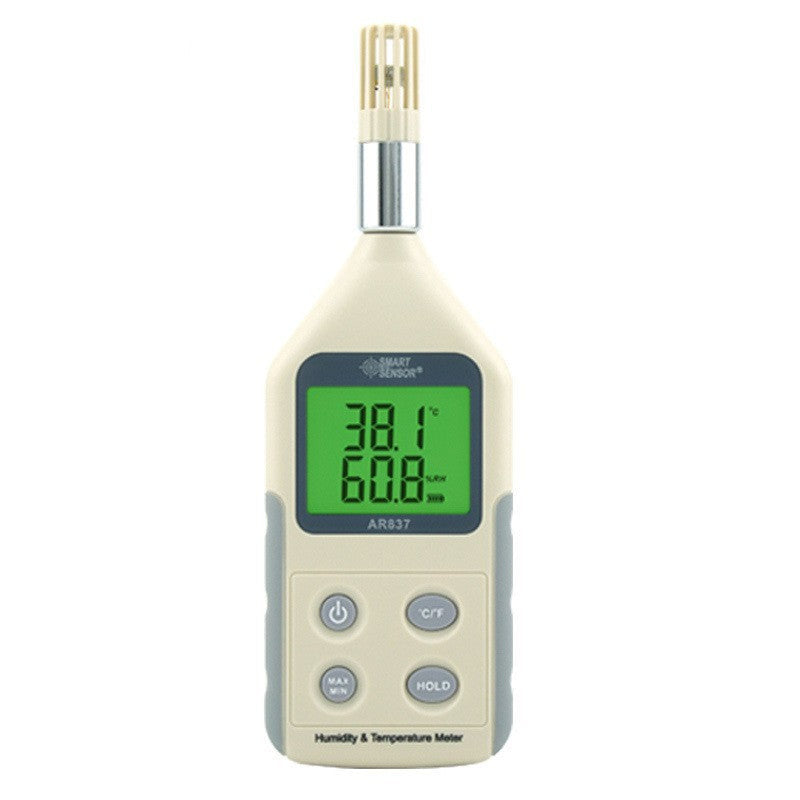
A Smart Sensor AR837 room-humidity comparison needs time for the instrument to settle at each position. Moving from a warm room into a cool room can change the temperature and RH displays at different rates. An immediate snapshot may describe the transition more than the room.
Use a repeatable route and record temperature beside relative humidity. A higher RH percentage does not automatically mean that the air contains more water vapour than air in a warmer room.

Smart Sensor AR837 supplier product photograph. Displayed values are illustrative.
Choose representative room positions
Identify the air you want to assess. A shelf away from direct sun and heating can be useful for a general room comparison; a position beside a cold window describes a local condition. Neither is inherently wrong, but they answer different questions.
Avoid breathing onto the sensor or holding it against a warm surface. Keep the same height and similar exposure at each location. Record open windows, heating and activities such as cooking, showering or drying laundry.
Follow the AR837 instructions for stabilisation. Watch for a settled indication rather than imposing an arbitrary universal waiting time. If the room itself is changing, retain that context instead of waiting for a stability that the environment cannot provide.

Cooling can raise relative humidity without added water vapour
Temperature explains part of the comparison
Relative humidity expresses how close the air is to saturation at its current temperature. Cooling air without removing water vapour can increase its RH. That is why a cool room and a warm room may show different percentages without the difference being a direct measure of added moisture.
For a useful spot survey, write room, time, temperature and RH in the same row. Compare like conditions where possible. If rooms differ in temperature, avoid ranking them by percentage alone as though the numbers measured the same absolute moisture quantity.
If condensation is the concern, the temperature of relevant surfaces also matters. An air hygrometer does not directly measure the surface of a window or prove a hidden building leak.
Use MAX MIN and HOLD deliberately
The AR837 displays temperature and RH together and lists MAX/MIN recall and HOLD. Confirm how the extrema are accumulated and reset. A maximum retained from a previous room can otherwise appear to belong to the current location.
HOLD helps you copy a value when the display is awkward to view. Release it before the next observation. It preserves one displayed state rather than continuing to describe the air around the instrument.
Investigate disagreement without chasing displays
If another hygrometer gives a different value, place the instruments together under stable conditions and allow both to settle. Check placement, response and specified accuracy before deciding which display is “right”. A dehumidifier's internal sensor may be sampling a different airflow path.
The reviewed AR837 description does not establish an automatic time-history logging function or complete numerical range and accuracy table. Confirm those details if they are essential. For overnight trends, select a logger with the required recording capability.
Choose the AR837 for supported handheld spot checks. A short route with consistent placement and paired temperature/RH readings will answer more than a sequence of hurried percentages taken at different room entrances.
For the current specification and supplied version, see the Smart Sensor AR837 product page.
Explore the Smart Sensor AR837
See its functions, suitable tasks and key limits before choosing.