
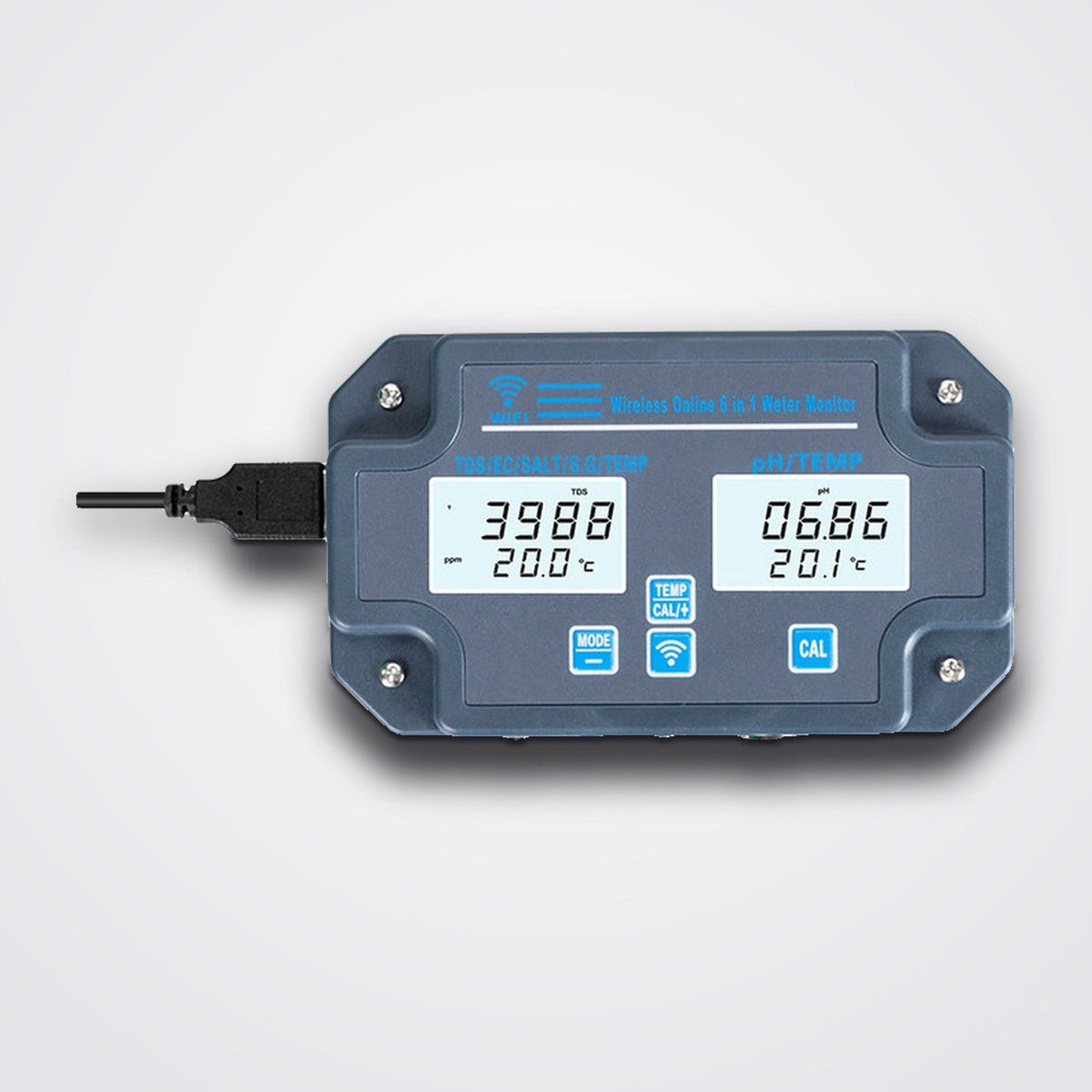
The PH-W3988 is a permanently installed WiFi water monitor listing pH, EC, TDS, salinity, specific gravity and temperature. Its product description states that readings are uploaded to a smartphone application every 15 seconds. Before interpreting a sudden change in an aquarium or pond, check whether the number on the phone is fresh.
An upload interval describes data transfer. It does not establish how quickly a probe responds to a water change, whether the connection has remained available or what happens to a reading during a disconnection.

PH-W3988 supplier product image. Screen values and accessory layouts are illustrative; confirm the selected version.
Give the display a timestamp check
During setup, compare the instrument and application while noting the time. Confirm the visible indication of the latest update and learn how the application presents a lost connection. Do this before treating the phone display as a live view while you are elsewhere.
Keep the probe installation representative of the water you intend to monitor, following the supplied instructions for placement, immersion and maintenance. A probe immediately beside a dosing point may see a local condition before the wider volume has mixed. Protect the electrical supply and keep the included UK-plug adapter in the environment permitted by its instructions.

Supplier interface illustration; software behaviour and freshness require verification.
Separate a data event from a water event
Build a short diary for water changes, feeding, dosing, circulation changes, cleaning and connection interruptions. Note whether an apparent jump coincides with reconnecting the application. A gap followed by a new value is a different observation from a continuously recorded change.
Do not assume the instrument preserves all readings while offline, stores a particular history or provides a particular alarm. Those behaviours need a trial of the exact application and supplied version. The listing's 15-second upload statement does not answer them.

WiFi availability does not prove every displayed value is current.
Keep each water quantity separate
Aquarium discussions sometimes describe the frustration of chasing numbers. Before changing the water in response, check the relevant quantity, units, probe condition and an appropriate reference method. pH, conductivity and salinity are related to water chemistry in different ways; one does not independently verify all the others.
Specific gravity also needs its stated reference and temperature conventions. Avoid comparing an unexplained SG number with another instrument's differently compensated reading. Follow the exact sensor's calibration and storage instructions rather than assuming every probe uses the same treatment.
The useful remote record combines a current reading, a known timestamp and the event that gives it meaning. The PH-W3988 can support that observation process, but a connected screen should not trigger an automatic chemical correction without the checks appropriate to the aquarium, pond or pool.
For the current specification and supplied version, see the PH-W3988 product page.
For the related product overview, see the PH-W3988 Water Monitor Learn More page.