
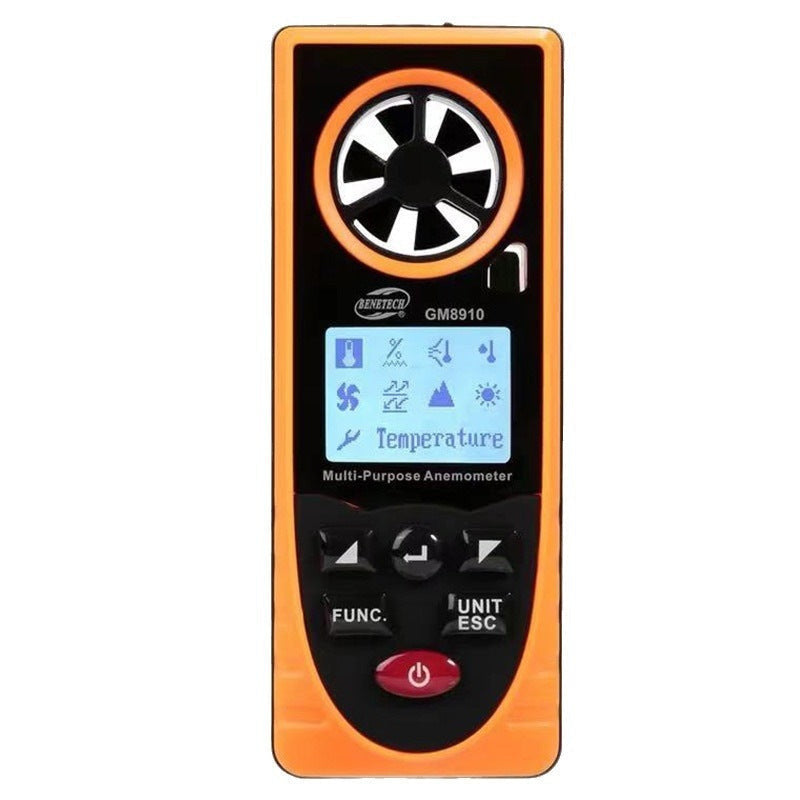
A BENETECH GM8910 environment-meter walkaround works best with one question per location. Its multiple modes can help describe conditions, but collecting every available number is not the same as explaining a problem.
For example, “Does this doorway admit a draught when the door is closed?” calls for a different observation from “Is the work surface evenly lit?” Choose the relevant mode, position and comparison before starting the route.

BENETECH GM8910 supplier product photograph. Displayed values are illustrative.
Build a short route with named questions
For air movement, identify a repeatable vane position and direction. Note door state, ventilation setting and nearby obstructions. The GM8910's listed wind-speed range is 0.7–30 m/s, so do not assume a very gentle indoor current below that lower endpoint will be quantified reliably.
For temperature and humidity, choose a position that represents the air you want to assess. Keep away from direct heating, wet surfaces and your breath unless one of those local effects is the actual question. Allow the instrument to stabilise before saving an observation.
For illuminance, define the plane being assessed and orient the light sensor as instructed. A reading at chest height facing a lamp is different from a reading at a desk surface. Write down which one you took.

GM8910 modes provide different quantities, not interchangeable answers
Give each mode its own meaning
The GM8910 lists temperature, humidity, wind speed, dew point, wind chill, illuminance, atmospheric pressure and altitude modes. Check their individual operating limits and setup requirements; the number of modes does not establish equal accuracy across all of them.
Dew point helps describe the moisture state of air. It is not a direct measurement of the temperature of a wall. Investigating condensation also requires relevant surface conditions and context, rather than treating one dew-point display as proof that a building defect exists.
Wind chill describes a particular environmental effect under an applicable model. It should not be substituted for a contact temperature or used as an explanation for every draught complaint.
Pressure-related altitude also needs careful interpretation. Changes in weather and reference pressure can influence a pressure-based altitude indication. Do not treat it as an independently verified survey elevation or GPS position.
Keep a walkaround record small enough to use
Use a row for each named location, with columns only for the quantities relevant to your question. Add time, operating conditions and a short observation. If the instrument changes units between modes, copy the unit with each value.
Repeat the route under a deliberately chosen comparison condition: for example, the same fan setting with a different door position. Change one condition at a time where practical. Otherwise, a collection of different numbers can leave you unable to tell what caused them.
Choose breadth when the task benefits from it
The GM8910 can make a preliminary environmental survey more convenient by bringing several modes into one handheld body. If one measurement will support a formal decision, verify that mode's specification, calibration and method against the requirement.
A good walkaround ends with a small set of explained observations and a next check. It does not need a conclusion from every mode the instrument happens to offer.
For the current specification and supplied version, see the BENETECH GM8910 product page.
Explore the BENETECH GM8910
See its functions, suitable tasks and key limits before choosing.